Modding Guide
The URX Core75 is designed with customizability in mind. This page details how to safely disassemble the keyboard case for acoustic tuning and RGB underglow.
Keycaps Guide
- URX Core75 comes with a standard Double-Shot PBT Cherry profile keycaps and North-Facing LEDs
- Since the keyboard uses North Facing LEDs, you can use any top facing shine-through keycap set.
- Side-Printed keycaps sets are not supported since those are generally made for South Facing RGB.
Note
Specific Cherry profile keycaps with specific switches might cause interference due to North Facing LEDs
Disassembly and Modding
PROCEED WITH YOUR OWN RISK
- Disassembling the keyboard case does not automatically void your warranty. However, any physical damage caused to components (like tearing connector cables, breaking switch sockets, breaking plastic case or scratching PCB traces) during disassembly is NOT covered under warranty.
- Tape mod will void the warranty.
- PLEASE BE EXTREMELY CAREFUL, We are NOT responsible for any damage. Any damage will VOID the warranty.
Disassembly Steps
Watch Video Tutorial — Coming Soon
- Remove the Screws at the back of the case: Remove the 8 silver Phillips-head screws holding the top and bottom case together.
- Remove the Volume Knob: Pull the metallic volume knob straight up.
- Unclip the top case: Use a Prying tool or a flat head screw driver to remove unclip the top case (4 clips in total, 2 on each side)
- Disconnect Daughterboard and Battery: DO NOT PULL THE PCB MODULE OUT YET. Slowly lift it from the bottom and disconnect the 2 connectors.
- Remove the switches and unscrew the PCB Module - Remove all keycaps and switches, and remove the 6 Phillips-head screws holding the PCB and Plate together
PROCEED WITH YOUR OWN RISK
- Disassembling the keyboard case does not automatically void your warranty. However, any physical damage caused to components (like tearing connector cables, breaking switch sockets, breaking plastic case or scratching PCB traces) during disassembly is NOT covered under warranty.
- Tape mod will void the warranty.
- PLEASE BE EXTREMELY CAREFUL, We are NOT responsible for any damage. Any damage will VOID the warranty.
RGB Underglow
- Remove the White Sheet: Remove the opaque White Sheet (to which the battery is glued). PLEASE BE EXTREMELY CAREFUL. DO NOT REMOVE THE BATTERY FROM THE WHITE SHEET, IT WILL VOID THE WARRANTY.
- Remove Silicon Pad and Bottom Foam: For underglow, remove all foam/Silicon Pad under the PCB so the light can go through the bottom case.
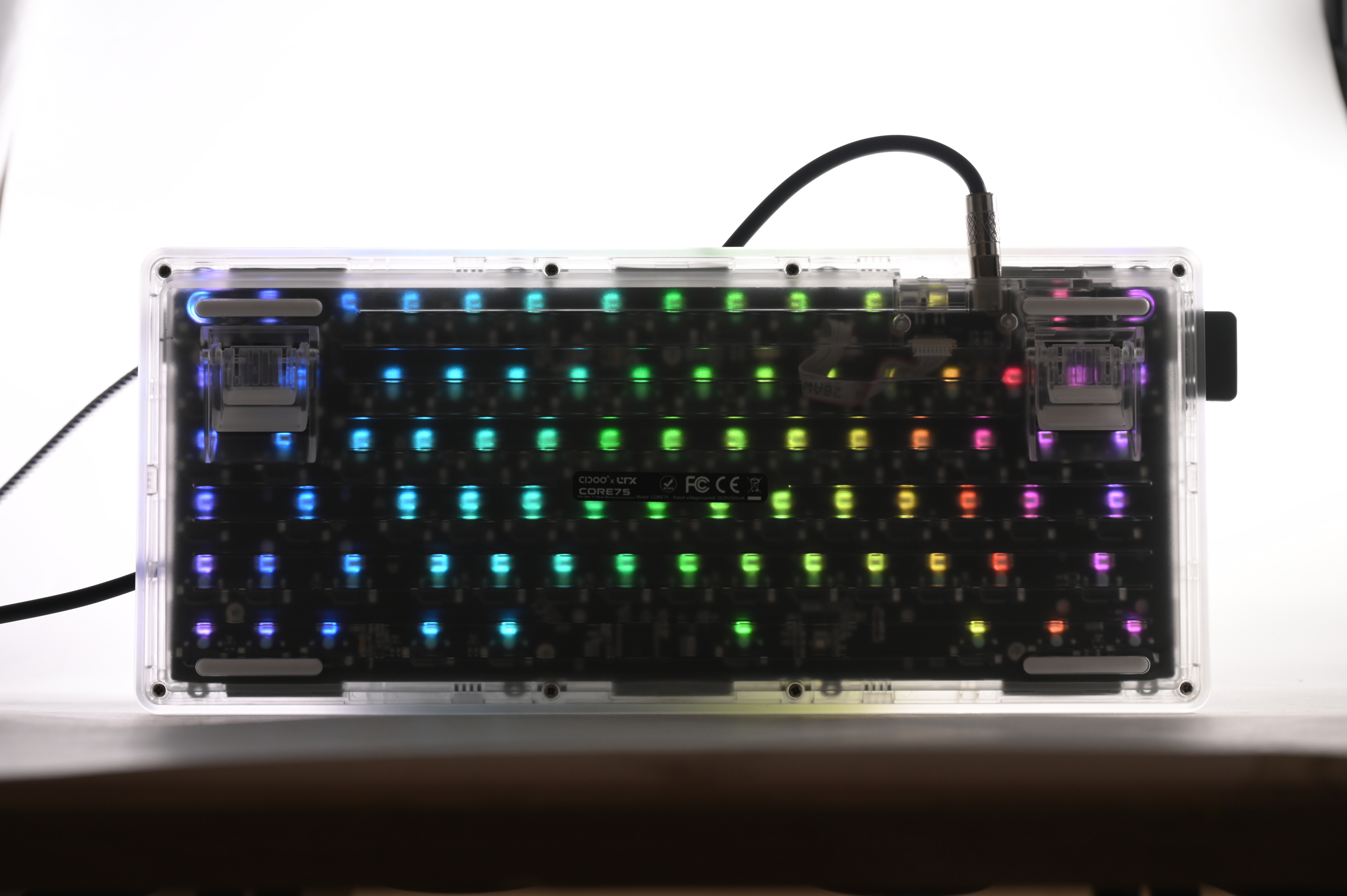
Note
- This mod will affect the sound of the keyboard, since these foams are one of the major contributing factor to the deep and creamy sound of the keyboard.
- Since the battery needs to be removed for this mod, wireless functionality is lost.